Since 2023, CSCCE has used Canvas LMS as a way of streamlining course delivery for trainers and providing a consistent learner experience in terms of accessing materials and assignments. This year, we’ve been taking some time to assess the sustainability of our technology stack (see earlier posts about our new Credible digital badging platform and our switch to Zeffy for training registrations), and Canvas is next on our list!
When we first introduced Canvas, we did not have an offboarding policy, which over time has resulted in an ever-growing roster of past learners with access to the platform. This has created administrative and financial costs for us, but before we made any move to restrict access, we wanted to learn more about how our course participants actually use the platform.
So, in early August 2026, we distributed a user survey to just over 200 of our past learners, focusing on participants in our multi-week, general registration courses as well as those learners who went on to join the CSCCE Community Manager Certification Program.
We were interested both in how they used Canvas while a course was in session (to navigate to course materials and homework assignments), and whether they then continued to access materials via Canvas after the course ended. We also asked some additional questions about community programming and ongoing opportunities to get involved at CSCCE.
This blog post shares a brief summary of what we learned about Canvas use from the survey, and how we’re using that information to update our offboarding policy. We’ll share more about what we learned from the additional sections of the survey in a future blog post.
Before we go any further, we want to stress upfront that all past CSCCE learners have ongoing access to course materials via CSCCE’s Google Drive – access that will NOT be going away as we institute our new Canvas access policy.
If you have any questions about the contents of this post, especially if you are a past learner uncertain about how to access your course materials, please contact training@cscce.org.
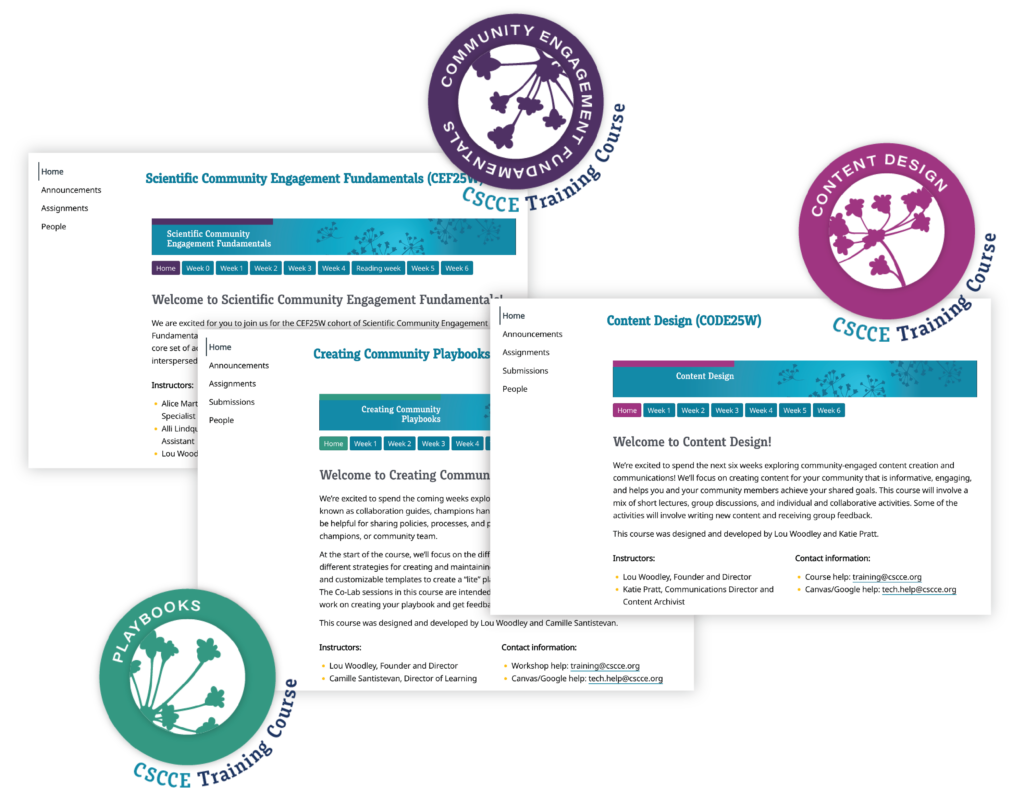
A quick overview of CSCCE’s online learning environment
All participants in CSCCE online training courses convene, co-work, and communicate using the following online tools:
- Zoom – our “online classroom” for live sessions
- Google Drive – where we host weekly virtual notes documents, session slide decks, and collaborative worksheets
- Slack – every online course has a private channel in the CSCCE workspace where they can continue a conversation after class or ask a question
- Canvas LMS – an online hub for all materials related to the course, including downloadable resources, quick start guides, rosters, worksheets, and homework assignments
For some courses, we also employ additional online tools, such as Gather, Mural, and Padlet, and participants in the CSCCE Community Manager Certification Program also have access to a “Program Hub” in Canvas, where they can track their progress through various components and access additional resources related to Mini-workshop and Quarterly Skills Share sessions.
While Zoom, Google Drive, and Slack are common tools that many community managers use anyway in their day-to-day lives, Canvas is less integrated (with the exception of those who work in higher education in the US). We have anecdotally noticed a wide variation in user comfort in the platform, but we wanted to know more precisely where our learners found value in having access to a tool like Canvas, and whether the platform was more useful while a course was in session vs. as a reference after the course ended.
How our learners use Canvas
In general, our user survey supported our perception that learners primarily find Canvas useful while a course is running (75% of CSCCE learners find clear value in having access to Canvas while a course is in session). We asked them which features of Canvas they utilized the most, and their responses suggested that the week-by-week organization of course materials was particularly helpful. Certification Program participants also noted that they appreciate the homework submission functionality, and the ability to receive instructor feedback directly within the platform (we review and comment on all on-time homework!).
After a course ends, however, survey respondents indicated that they more often access course materials via the shared CSCCE Google Drive, or in their own personal archives, and would be content to retain access only via Google Drive (and not through Canvas).
Our new Canvas access policy
Now that we have a firmer grasp of where learners find value in using Canvas for CSCCE online trainings, we’ll be instituting the following Canvas access policy:
- All learners will be onboarded to Canvas 1-2 weeks before a course begins [no change]
- All learners will retain access to course materials via Google Drive indefinitely [no change]
- All learners will retain access to materials in Canvas for 30 days after a course ends, and will then be offboarded from the platform [new]
- Current participants in the CSCCE Community Manager Certification Program will retain access to any courses they take while enrolled, and then will be offboarded from Canvas 30 days after program completion [new]
- This also applies to additional multi-component programs we choose to host in Canvas, such as future iterations of Birdaro
All learners currently enrolled in Canvas have been notified of this updated policy, and will be offboarded from Canvas at the end of September 2026
To reiterate – we are not removing access to training materials! If you are a past CSCCE learner and you are unsure how to access your cohort’s Google Drive folder, please reach out to training@cscce.org and we’d be happy to help!
These actions support CSCCE’s sustainability by reducing the financial and administrative burden of managing ongoing Canvas access for hundreds of past learners, while ensuring the best-in-class learning experience that active learners have come to expect from us.
Future updates
As we mentioned, this user survey asked additional questions about ongoing participation in the CSCCE community of practice. We’re currently focused on working through Canvas updates, but we plan on sharing more here on the CSCCE blog in the coming weeks and months!